
Contact Us
Have a question, need support, or want to share feedback? We're here to help.
Customer Support
For order issues, credit refund requests, or account help, reach us through our support page on Legiit.
Contact on LegiitGeneral Inquiries
For partnerships, feedback, or general questions, fill out the form below and we'll get back to you.
Filing a Domain Complaint?
If you've unlocked a domain and the backlink was removed or the domain was already taken, you can file a complaint directly from the Viewed Domains page after signing in. Our system will automatically verify your claim and issue a credit refund if applicable. If automatic verification can't resolve it, you'll be directed to contact support with the relevant details.
Frequently Asked Questions
Quick answers to the things people ask most. Can't find what you need? Use the form above.
How does LinkReboot work?
LinkReboot scans high-authority sites for outbound links pointing to expired domains and surfaces those opportunities to you. You browse the catalogue, spend a credit to unlock the domain name and the exact referring page, then register the domain and decide what to do with the inbound backlink.
What data/metrcis do I see in the catalogue?
Every listing in the catalogue shows you a full set of authority and quality signals upfront, free of charge. For the expired domain you get its extension, Domain Authority (DA), Page Authority (PA), Trust Flow, Citation Flow, and Spam Score. Its backlink profile includes number of referring domains, total inbound links, and how many of those are followed. For the page on the authority site that carries the link, you can see its DA and PA, the number of domains linking to that page, which authority site it belongs to, the page language, and whether it is a followed or nofollowed link. The four details held back until you spend a credit are the domain name, the referring page URL, the referring page title, and the anchor text used in the link — everything else is yours to evaluate before you commit.
How do I find domains relevant to my niche?
Use the search bar on Premium Links or Free Links. You can search by niche keyword (matched against page titles and anchor text) or by link source (the referring site). Combine that with the filter panel for DA, PA, Trust Flow, language, follow status, and TLD to narrow down further.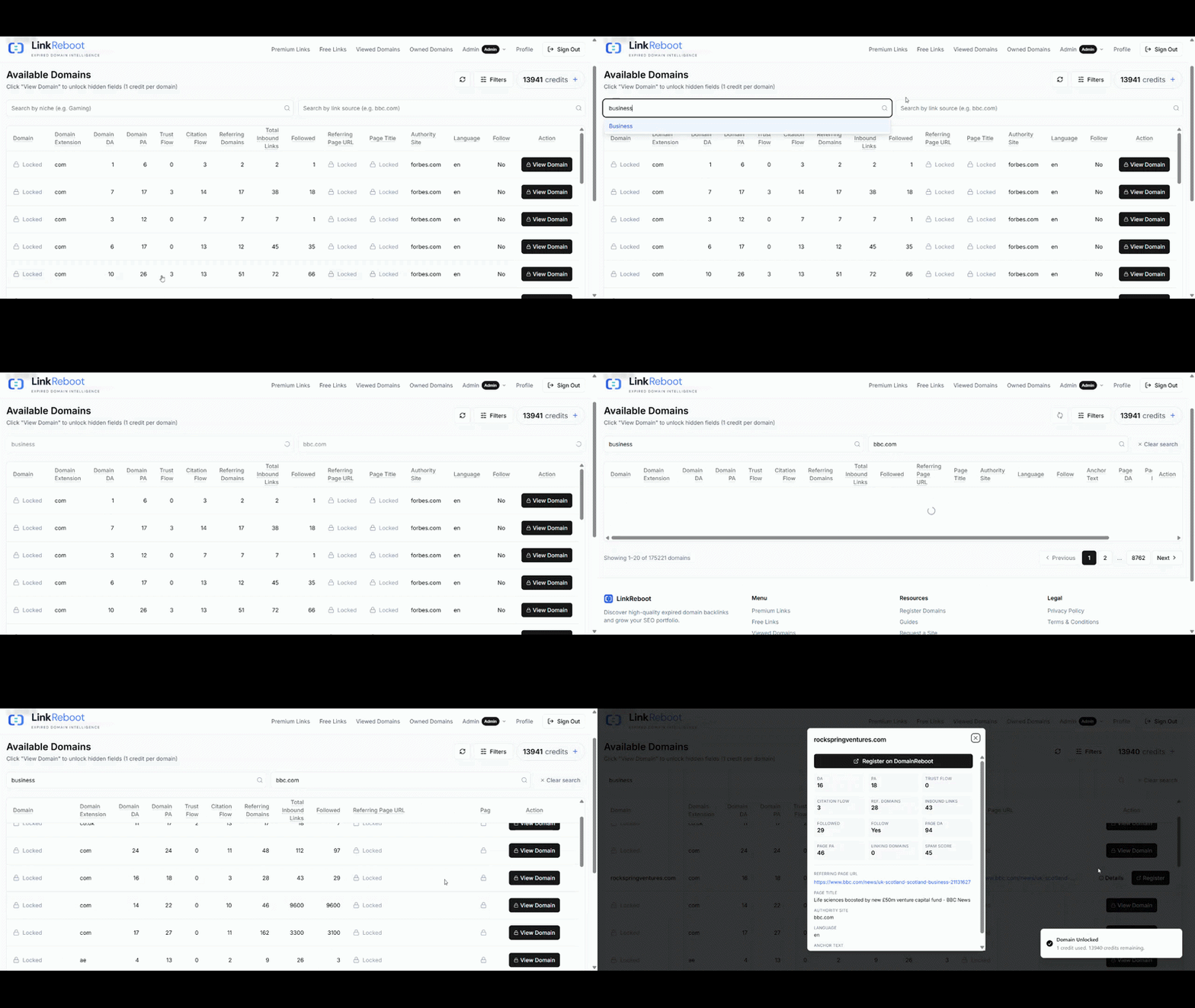
How do I top up credits?
Sign in and open Premium Links. Click the Buy Credits button in the toolbar to open the top-up dialog. Credits are $0.50 each, with a 20-credit minimum, and checkout runs through Stripe. Your new balance appears in the header as soon as the payment confirms.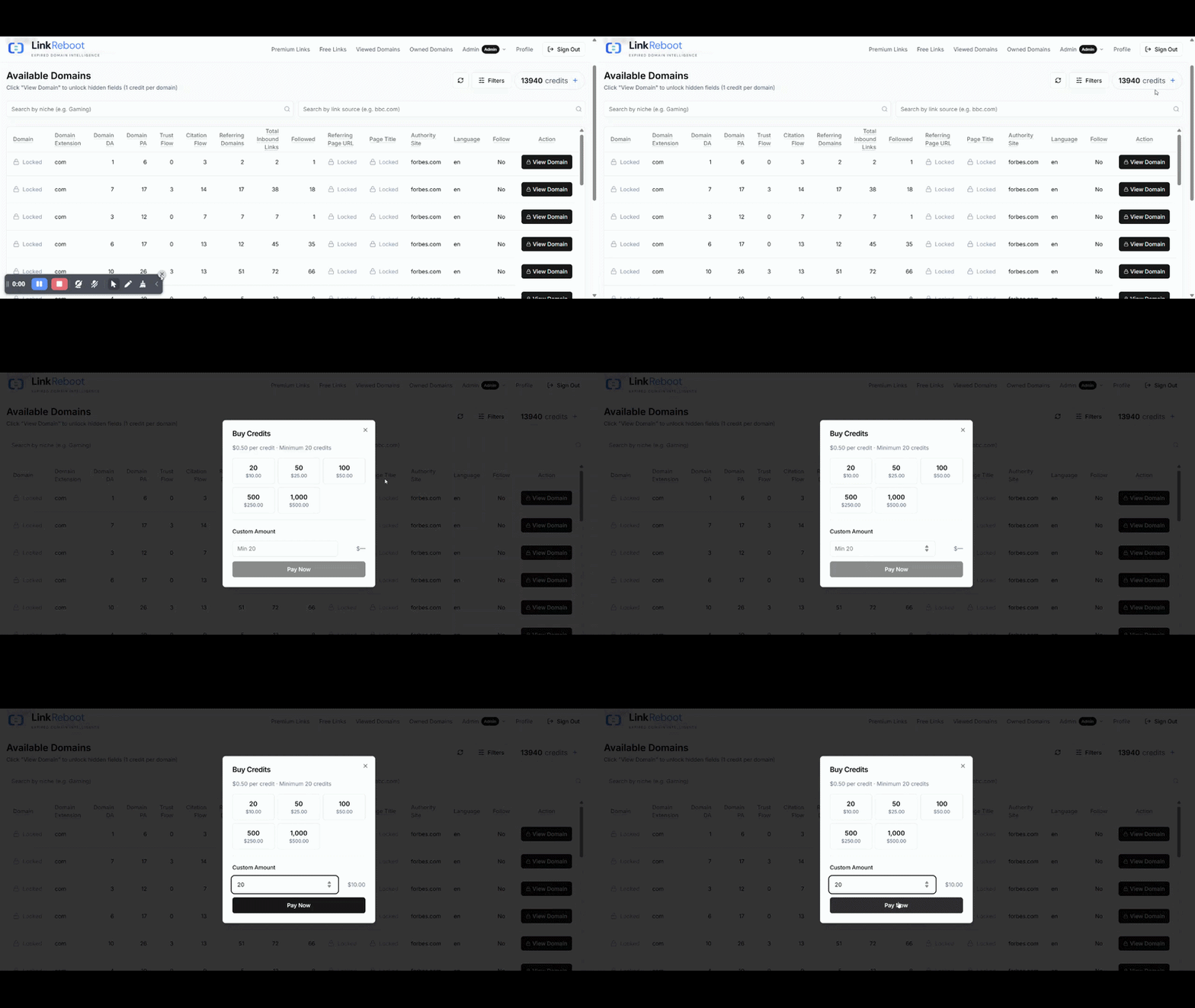
How can I contact support?
Use the form on this page for any account or billing question. For complaints about a specific viewed domain, file the complaint directly from Viewed Domains — the automated checks resolve most cases instantly, and anything they can't will be routed to a human reviewer.
What if the domain was already registered before I unlocked it?
Open the domain in Viewed Domains, choose Something Wrong?, then Domain Not Available. We re-check WHOIS in real time; if the domain is no longer available, the credit is refunded automatically and the row is marked refunded. No need to email support for the common case.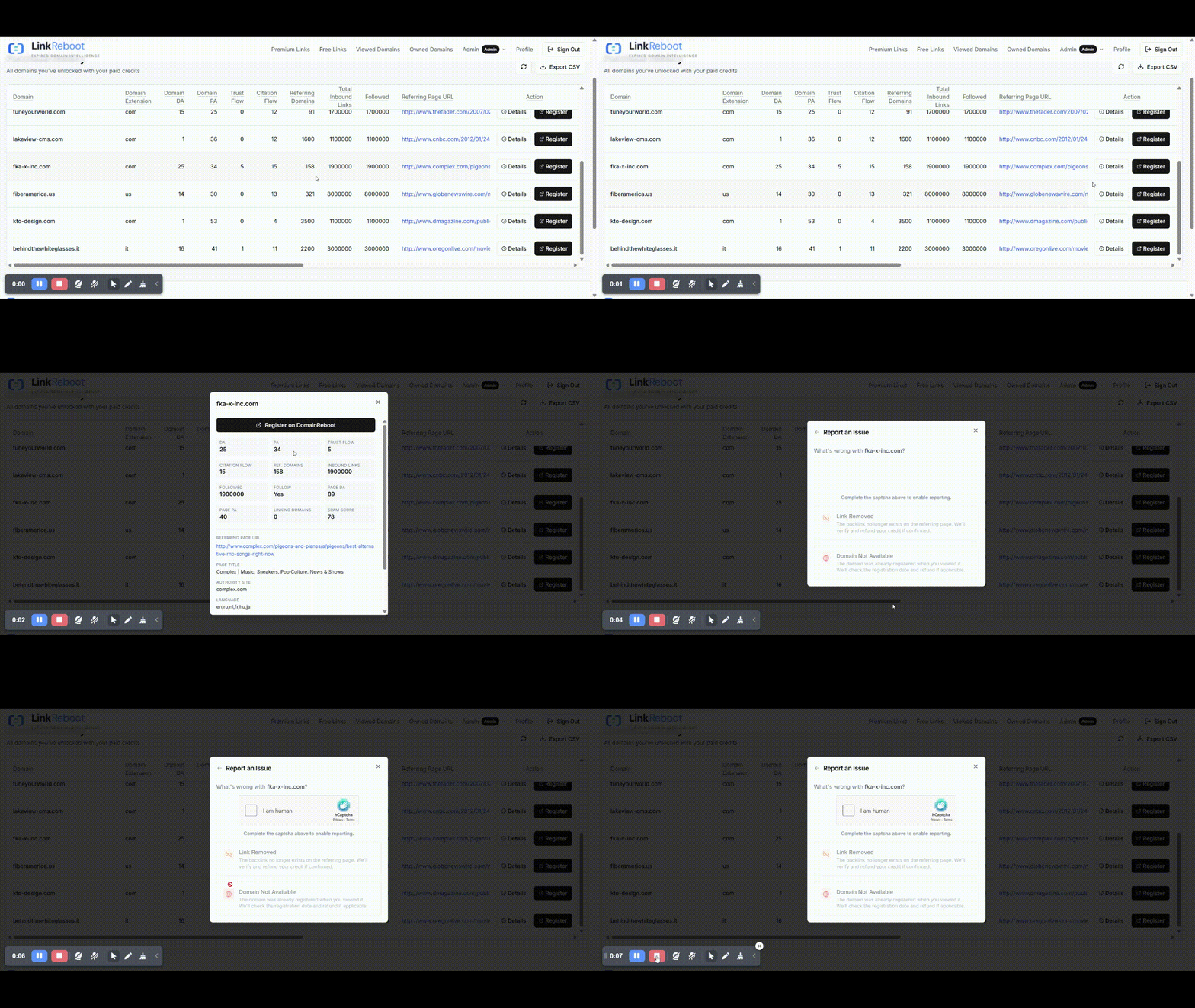
What if the backlink has been removed from the source page?
Use Something Wrong? → Backlink Removed on the row in Viewed Domains. We re-fetch the source page, look for the link, and refund the credit if it's genuinely gone. If the link is still live (sometimes it loads dynamically), you'll see a result that explains what was found.
How do I request a new site to be added to LinkReboot?
Send the request through our public feedback board at linkreboot.userjot.com. You can also vote on requests already submitted by other users — high-vote items move up the priority queue.
Where do I register a domain I find here?
Any registrar works, but we recommend DomainReboot — it's built by the same team and tuned for expired-domain workflows. Register fast: a domain you find today can be picked up by another buyer at any time.
What's the difference between Premium Links and Free Links?
Premium Links covers our full catalogue and costs one credit per unlock. Free Links is a daily-rotated subset you can unlock for free, subject to a daily and monthly cap shown above the table. Free unlocks don't count against your credit balance.
How long does a complaint take to resolve?
The automated checks usually finish in a few seconds. If the system cannot make a clear decision, you will be directed to contact our technical team. We will review the case and get back to you by email, typically within three business days.
Is my unlocked domain history saved?
Yes. Every domain you unlock is captured as a snapshot in Viewed Domains with all its metrics at the time of purchase, so the data is preserved even if the source listing is later removed or refreshed. You can also export it to CSV from that page.
How do I track domains I have already registered?
Open Owned Domains, click Add Domains, and paste the domains you registered (one per line). Only domains already in your Viewed Domains can be added — that anchors the snapshot to a real, paid-for record. After adding, we automatically enrich each entry with live registry and HTTP data; the rows show “pending…” until that finishes (usually a few seconds).
How to add domain in Owned Domains table
Two layers. The table shows the live data we refresh: registration date, expiration date, last-changed date, current nameservers, the first HTTP response code (e.g. 200, 301, 404), and the final destination URL after following any redirects. The Details button opens the full snapshot — the DA, PA, Trust Flow, Citation Flow, referring page URL, anchor text, and other metrics from the moment you unlocked it.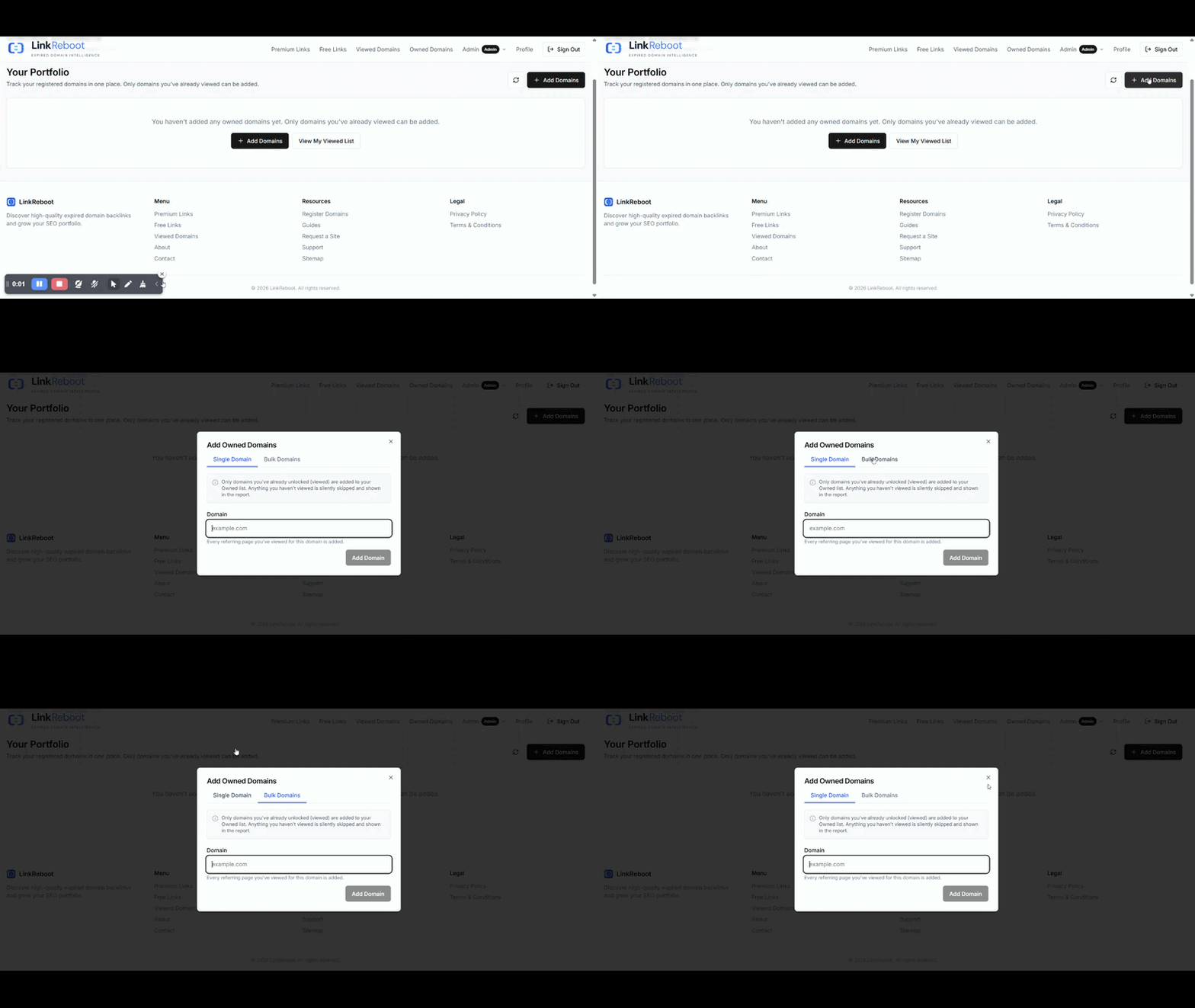
What happens to refunded credits?
Refunded credits return to your account credit balance immediately which you can use on any other domain. Refunded credits don't expire and can be spent on any other domain.